




当你点进这篇文章时,这标志着你应该已经遇到了困难。
如果你是从未接触过虚拟机(VPS),也不懂代码,内心忐忑不知道自己是否有能力完成这个。请相信自己,本文将以最低技术力协助你完成节点搭建,做好准备了吗,现在开始发车咯!
https://www.hostbuf.com/t/988.htmlapk update && apk add bash coreutils procps procps-ng util-linux findutils grep sed gawk curl wget ca-certificatesapt update && apt -y install sudo bash curl wgetbash <(curl -fsSL https://vpszdm.com/bbr.sh)curl -fsSL https://box.dmitstock.com | bashcat > /etc/sysctl.conf << 'EOF'
fs.file-max = 6815744
net.ipv4.tcp_max_syn_backlog = 8192
net.core.somaxconn = 8192
net.ipv4.tcp_tw_reuse = 1
net.ipv4.tcp_abort_on_overflow = 1
net.core.default_qdisc = fq
net.ipv4.tcp_congestion_control = bbr
net.ipv4.tcp_no_metrics_save = 1
net.ipv4.tcp_ecn = 0
net.ipv4.tcp_frto = 0
net.ipv4.tcp_mtu_probing = 0
net.ipv4.tcp_rfc1337 = 1
net.ipv4.tcp_sack = 1
net.ipv4.tcp_fack = 1
net.ipv4.tcp_window_scaling = 1
net.ipv4.tcp_adv_win_scale = 2
net.ipv4.tcp_moderate_rcvbuf = 1
net.ipv4.tcp_fin_timeout = 30
net.ipv4.tcp_rmem = 4096 87380 67108864
net.ipv4.tcp_wmem = 4096 65536 67108864
net.core.rmem_max = 67108864
net.core.wmem_max = 67108864
net.ipv4.udp_rmem_min = 8192
net.ipv4.udp_wmem_min = 8192
net.ipv4.ip_local_port_range = 1024 65535
net.ipv4.tcp_timestamps = 1
net.ipv4.conf.all.rp_filter = 0
net.ipv4.conf.default.rp_filter = 0
net.ipv4.ip_forward = 1
net.ipv6.conf.all.forwarding = 1
net.ipv6.conf.default.forwarding= 1
net.ipv4.conf.all.route_localnet= 1
EOF
sysctl -p && sysctl --systembash <(curl -L -s ss.jinqians.com)ssrust 即可进入脚本菜单页面。
wget -qO- https://raw.githubusercontent.com/zywe03/realm-xwPF/main/xwPF.sh | sudo bash -s installwget -qO- https://v6.gh-proxy.org/https://raw.githubusercontent.com/zywe03/realm-xwPF/main/xwPF.sh | sudo bash -s installpf 即可进入脚本菜单页面。
curl -L http://script.gu.ax:2052/nftables.sh -o nft.sh && chmod +x nft.sh && ./nft.sh./nft.sh 即可进入脚本菜单页面。
curl -LfsS https://raw.githubusercontent.com/shini74744/Shliixg/refs/heads/main/xldj.sh -o /tmp/xldj.sh && chmod +x /tmp/xldj.sh && bash /tmp/xldj.shxlddg 即可进入脚本菜单页面。
好了,相信聪明的你应该已经搭建好节点并成功连上了吧。
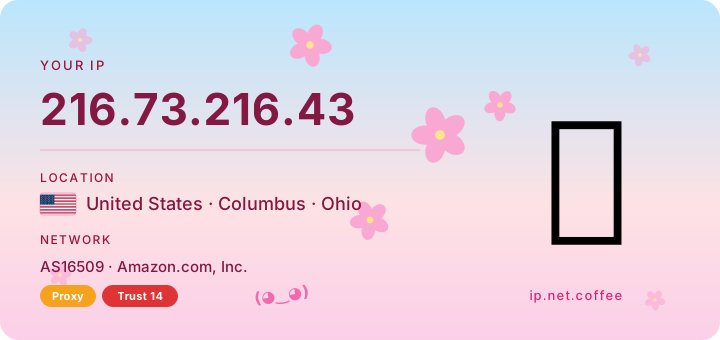
现在,就检验一下实践成果吧,下面有一个 IP卡片 可以检验你当前节点IP,试试吧!
nftables listhostnamectl set-hostname 你想要的名字sudo cp /etc/ssh/sshd_config /etc/ssh/sshd_config.bak && sudo nano /etc/ssh/sshd_configcurl -O http://speedcs.cn/speedtest && chmod +x speedtest && ./speedtestapk update && apk add bash openssh && chsh -s /bin/bash root && rc-update add sshd && service sshd start && rc-service sshd restart好了,先这样吧。
只要你不要说:节点怎么用???就谢天谢地了。
节点搭建 脚本合集
本文采用 CC BY-NC-SA 4.0 许可协议,转载请注明出处。
评论交流
欢迎留下你的想法